

What Is Malware?
Imagine opening your laptop to find a chilling message: “Pay $10,000 in 24 hours, or your files are gone forever.” This is the reality of ransomware—and it’s just one of many cyber threats lurking in 2024, with over 60 million new malware strains discovered this year alone. Malware and ransomware can steal your data, corrupt your files, or lock you out of your system entirely. In the battle of malware vs ransomware, Understanding the difference between these threats is critical to protecting your digital life and knowing how to respond when disaster strikes.
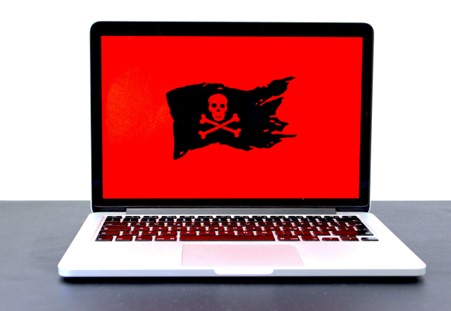
Malware is short for “malicious software.” It’s a broad term used to describe any software intentionally designed to cause damage or gain unauthorized access to a system. Malware comes in many forms, each with a different method of attack. Common types of malware include:
- Viruses: Attach to files and spread between systems.
- Worms: Self-replicating and spread without user input.
- Trojans: Disguised as legitimate software to trick users.
- Spyware: Secretly monitors your activities and steals data.
Malware infections can:
- Slow down your system performance
- Corrupt or delete critical files
- Steal personal or financial data
- Use your computer in large-scale attacks on others
What Is Ransomware?
Ransomware is a specific type of malware with a clear goal: to hold your data hostage in exchange for money. It locks or encrypts your files and demands a ransom to restore access—often in cryptocurrency.
Here’s how ransomware typically works:
- It enters your system through email attachments, malicious links, or downloads.
- It encrypts your files, making them unreadable.
- A ransom note appears demanding payment in exchange for a decryption key.
- Even if you pay, there’s no guarantee your files will be recovered.
As of 2024, the average ransom demand reached $2.73 million, according to Sophos—a nearly $1 million increase from the year before. This sharp rise highlights the growing financial threat to businesses and individuals, with no guarantee of data recovery even after payment.
There are two main types of ransomware:
- Locker ransomware: Blocks access to your entire computer.
- Crypto ransomware: Encrypts only files, leaving the system functional.
Malware vs Ransomware: What’s the Difference?
The core difference in Malware vs Ransomware lies in their intent.
- Malware is generally designed to cause harm or steal information in the background.
- Ransomware makes itself obvious by locking your files and demanding payment.
Where malware tends to work quietly, ransomware is aggressive and overt. One tries to spy or disrupt—while the other aims to extort money quickly.
To make it easier to compare at a glance, here’s a breakdown:

How Do Malware and Ransomware Get In?
Both malware and ransomware infiltrate systems using similar tactics:
- Phishing emails with infected attachments
- Fake or compromised websites
- Contaminated USB devices
- Outdated or unpatched software vulnerabilities
Emerging threats are becoming harder to detect. For instance:
- Fileless malware, which operates in your computer’s memory without leaving traces on your hard drive, was expected to surge by 65% in 2024, making it nearly invisible to standard antivirus scans.
- AI-powered malware. Projected to account for 20% of new threats in 2025, uses artificial intelligence to adapt and bypass security measures, posing a growing challenge for businesses and individuals.
Signs You Might Be Infected
Malware infection symptoms:
- Your device is running slower than usual
- Unfamiliar pop-ups and crashes
- Apps freezing or behaving oddly
Ransomware symptoms:
- You can’t access your files
- A ransom message takes over your screen
- Your background image changes to a warning
Recognizing the signs early can help you limit the damage and respond more effectively.
How to Protect Against Malware and Ransomware
Here are basic steps you can take to safeguard your systems:
- Keep all software and operating systems up to date
- Use strong, unique passwords for every account
- Avoid suspicious links and email attachments
- Back up your files frequently, including offline backups
For advanced protection:
- Install reliable antivirus and anti-malware software to detect and remove threats like viruses, worms, and spyware before they cause harm.
- Use ransomware-specific defenses, such as:
- Application whitelisting: Allows only trusted programs to run, blocking unauthorized software like ransomware from executing.
- Behavior monitoring: Detects unusual activity, such as a program attempting to encrypt files, and stops it to prevent damage.
What to Do If You’re Attacked
If you suspect you’ve been hit by malware or ransomware, act fast.
If it’s malware:
- Disconnect from the internet
- Run a full antivirus scan
- Remove or quarantine infected files
- Change all passwords
If it’s ransomware:
- Disconnect from networks immediately
- Do not pay the ransom—recovery is not guaranteed
- Report the attack to the authorities
- Restore your data from secure backups
Why Understanding Malware vs Ransomware Matters
Knowing the difference between malware and ransomware can help you respond quickly and effectively during an attack. When you can identify the threat, you can take the right actions to protect your files, data, and network.
This knowledge also allows you to invest in the right prevention tools—saving you time, money, and stress in the long run.
Stay Protected with Cynxt
In today’s digital world, staying safe takes more than awareness—it requires proactive steps. By understanding the difference between malware vs ransomware and staying alert, you can avoid costly and disruptive cyber incidents.
Need help securing your business? Cynxt is here to help. We offer cybersecurity and IT services designed to keep your systems secure and your operations running smoothly.
Located at 1128 Bradshaw Drive in Florence, AL, Cynxt delivers trusted IT solutions that give you peace of mind. Contact Us today or call (256) 456-5858 to schedule a consultation and take the first step toward stronger digital protection.
Cynxt Service Areas:
We proudly serve businesses in the following areas and surrounding cities. Click here to view the full list. Remote support is also available for businesses anywhere.
North Alabama:
- Florence
- Muscle Shoals
- Russellville
- Athens
- Decatur
- Huntsville
Middle Tennessee:
- Franklin
- Columbia
- Lawrenceburg
- Pulaski
About Us:
With over 18 years of IT experience, Cynxt IT Services delivers enterprise-level solutions tailored to small and medium-sized businesses. As a trusted Managed Service Provider (MSP), we’re dedicated to supporting your growth with reliable, expert IT services and unmatched customer care.
Services:
Explore our wide range of IT Services. Learn more about how we can help with your IT needs. Not finding the service you’re looking for? Contact Us to discuss custom solutions.
- Managed IT Services
- IT Support
- Cybersecurity
- Cloud Services
- Networking
- IT Consulting

